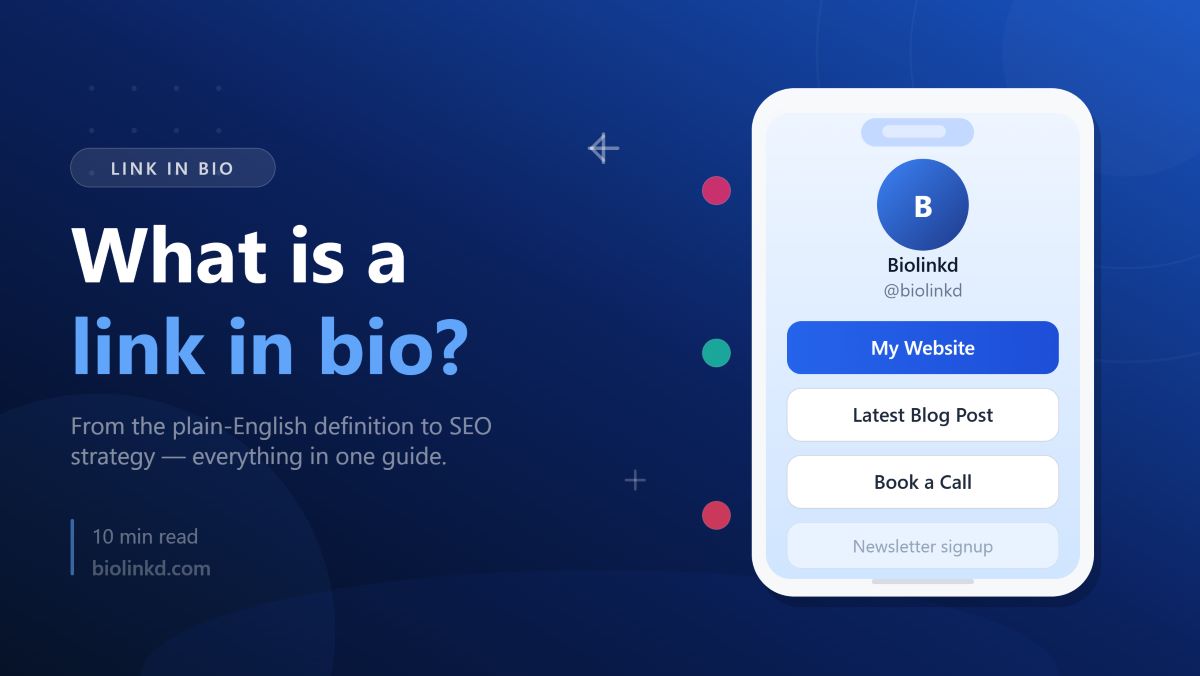
A link in bio is the one clickable URL in your social profile — and a hub page behind it. Learn how it works, what to put in it, and when you actually need one.
A link in bio is the single clickable URL allowed in a social media profile's bio field, and it usually points to a page holding several links at once instead of just one destination.
That's the literal definition, but the term actually covers two different things depending on context. Sometimes "link in bio" means the URL itself — the thing a caption is pointing you toward when it says "tap the link in my bio." Other times it means the destination page that URL leads to: the small hub of buttons a creator built to stand in for that one slot. Both uses are correct. You can usually tell which one's meant from how the sentence is built — "link in bio" as a noun phrase ("check the link in bio") versus as a thing you'd describe ("her link in bio has five buttons").
Picture a baker's Instagram account. The caption under a new cake photo reads "order link in bio." Tap the profile, tap that one URL, and instead of landing on a single page, you land on a short list: an order form, this week's delivery schedule, a link to her TikTok, and a newsletter signup box. That whole stack, reachable through one tap, is what the phrase has come to mean in everyday use — even though, technically, only the URL itself is the "link."
One limitation worth naming here: not every profile that says "link in bio" is actually running a multi-link page. Plenty of accounts just drop a raw website URL straight into the bio field, no tool involved. The phrase has become shorthand for the behaviour — tap the bio, find the link — regardless of what's actually sitting behind it.
Why Social Platforms Force You Into a Single Link

Every major platform treats the bio as the one spot on a profile where a URL is allowed to actually be clickable. That's not an accident or an oversight — it's a deliberate design choice, and it's the entire reason the "link in bio" tool category exists at all.
The logic behind it is simple: platforms make money from time spent inside the app, not from traffic leaving it. A caption or comment full of clickable URLs would turn every post into an exit ramp. Restricting clickable links to a single, low-visibility field keeps people scrolling instead of tapping away, while still giving creators and businesses one legitimate path off-platform.
Instagram's bio link restriction

Instagram doesn't allow clickable URLs anywhere in a feed caption — type one in and it just sits there as plain, unclickable text. The bio field used to be the only workaround. That changed in 2023, when Instagram rolled out the ability to add up to five links directly in a profile's bio. It's a real improvement, but a limited one: those five links show up as a plain grey list when someone taps the bio, with no thumbnails, no branding, and no way to see which one anyone actually clicked. Social Media Today
TikTok's bio link restriction
TikTok only allows one clickable URL in the bio field, and getting access to it has historically required clearing a bar most new accounts haven't reached yet — either switching to a Business or Creator account, or crossing a follower threshold that's commonly cited around 1,000. That threshold isn't fixed, though. Multiple sources from 2026 disagree on whether it's still in force or was dropped in 2024, which suggests TikTok has adjusted the rule more than once. The honest answer is to check your own account's Edit Profile screen rather than trust a number that might be outdated by the time you read it.
LinkedIn and YouTube's different rules
LinkedIn and YouTube don't follow the Instagram/TikTok model at all. LinkedIn gives you one website field in Contact info, plus a Featured section that can showcase a handful of items — a case study, a newsletter, a talk — with about three visible at once before someone has to scroll. YouTube is the most generous of the four: the channel's About section supports multiple external links, with most creators able to add well beyond the five-link cap Instagram enforces. Neither platform tracks clicks on these links natively, so a creator posting on YouTube still has no built-in way to see which link actually got tapped.
How this restriction created the "link in bio tool" category
Put those four platforms side by side and a pattern shows up: every one of them treats outbound links as something to ration, not something to encourage. That's the gap link-in-bio tools were built to fill — not by breaking platform rules, but by turning the one allowed URL into a page that holds everything a raw bio field can't.
A small business posting on both Instagram and TikTok runs into this directly. Instagram's native five-link menu can hold a store link, a booking page, and a newsletter signup — but with no analytics, there's no way to tell whether TikTok traffic or Instagram traffic is actually driving signups. A single bio link page solves both problems at once: one URL that works across every platform's restriction, with click data showing exactly where each visitor came from.
The practical takeaway: don't fight each platform's native limit individually. Treat the restriction as the constant it is, and let one tool absorb the differences between Instagram's five-link menu, TikTok's single field, and YouTube's more generous About section.
What a Link in Bio Page Actually Does
Functionally, a link in bio page does three things a single URL can't: it holds multiple destinations behind one tap, it behaves like a small, purpose-built landing page rather than a redirect, and it reports back data the platform itself won't show you.
It replaces one link with many
The core mechanism is a redirect layer. The URL in the bio doesn't point straight to a website — it points to a page that lists out several destinations, and the visitor picks one. A musician might use that single bio URL to surface a new single on Spotify, tour dates, a merch store, and a mailing list signup, all from one tap that would otherwise only fit one of those things.
The tradeoff is friction. Every additional tap between a visitor and their destination loses some percentage of people who don't bother clicking through. A bio link page isn't free real estate — it's a small toll booth, and the goal is keeping that toll as short as possible. Five links surfaced clearly beats fifteen links buried in a scroll.
It works as a lightweight landing page
Unlike a generic redirect, a bio link page is built with the same components as a real landing page: a profile photo, a short bio line, buttons styled to match a brand, and sometimes embedded content like a video or product carousel. A bakery's page might open with a header photo of the storefront, then list "Order Online," "This Week's Menu," and "Book a Cake Consultation" as three distinct buttons instead of three lines of bio text.
That design layer is also where the limitation shows up. A heavily customised page with embedded images, fonts, and widgets loads slower than a plain link list — and a visitor arriving from a TikTok video has very little patience for a slow load before they bounce back to scrolling.
It tracks clicks the raw bio link can't
This is the piece a plain bio URL structurally cannot provide: visibility into what's actually getting tapped. A raw link in a profile field gives zero feedback — no click count, no sense of which platform sent the traffic, no idea whether a Tuesday post or a Thursday post drove more action. A bio link page sits in front of every click, which means it can log each one and attribute it back to a source.
A coach running paid ads on Instagram while also posting organically on TikTok can tag each platform's bio link separately and see, in the page's dashboard, that TikTok is sending three times the clicks but Instagram's are converting into bookings at a higher rate. That kind of split is invisible without a tool sitting in the middle — but it's only useful if the analytics are real. Some free-tier bio link tools cap analytics at basic click totals and reserve source attribution for paid plans, so it's worth checking what a "free" plan actually reports before assuming the data will be there.
The practical shift: a bio link page turns one blind, untrackable link into a small dashboard you can actually act on — provided the page stays light enough to load fast, and the analytics tier you're on actually shows where clicks come from.
What People Actually Put in Their Link in Bio
Look at enough bio link pages and the same five categories keep showing up, just rearranged by industry. The link types aren't random — each one maps to a specific thing a creator or business wants a visitor to do next.
Latest content
This is the most common first slot: whatever was just published, pinned at the top so it doesn't get buried once the next post goes up. A podcast host might swap this link every Tuesday to point straight at that week's episode instead of forcing listeners to scroll through a feed to find it.
The catch is upkeep. A "latest content" link that hasn't been updated in three months reads as an abandoned account, which does more damage than not having one at all.
Product and store links
For anyone selling something, this slot points straight at a storefront or a specific product page. A photographer selling print packages might link directly to a seasonal mini-session booking page rather than a generic "shop" link, since the more specific the destination, the less browsing a visitor has to do before buying.
Booking and scheduling links
Service-based accounts — fitness instructors, consultants, tattoo artists — tend to lead with this one. A fitness instructor's bio link might open straight to a calendar showing the next available class slot, skipping the website tour entirely. The fewer steps between "interested" and "booked," the higher the conversion typically runs.
Email signup forms
This is the link aimed at owning the audience instead of renting it from a platform algorithm. An independent author might use the bio link to capture email addresses for a launch list months before a book is even finished, since a follower count on a social platform can vanish overnight in a way an email list can't.
The limitation here is visibility — an email signup buried as the fourth or fifth button on a page gets a fraction of the clicks a top-positioned link does, so placement matters as much as the offer itself.
Other social profiles
Cross-platform links round out most pages: a TikTok account pointing back to a YouTube channel, or a LinkedIn profile linking out to a personal newsletter. A nonprofit running a fundraising campaign on Instagram might use this slot to link its Threads and Bluesky accounts, spreading the same campaign across platforms it can't post identical content to without looking repetitive.
The pattern across all five categories: the busiest bio link pages don't pile on every option at once. The ones that perform best tend to lead with whatever the visitor is most likely to act on right now — new content, a booking slot, a product — and push lower-urgency links like "follow me elsewhere" further down the page.
Link in Bio and SEO — The Part Most Guides Skip
Most explainers treat a bio link page as a social media feature and stop there. It's also a real webpage living on a real domain, and that domain decision has SEO consequences most creators never think to check.
Why a bio link page can help or hurt your search visibility
A bio link page hosted on a free Linktree, Beacons, or similar tool typically lives at a subdomain of that company's URL — something like linktr.ee/yourname rather than yourdomain.com/links. Search engines attribute authority to the domain a page sits on, not to the person whose name is in the URL. Linktree benefits from any high-quality backlinks pointing to that page, since the page is hosted on Linktree's domain rather than the creator's own. On top of that, most links placed on these tools are nofollow by default, which means they pass little to no ranking value back to the destinations being linked, even when the page itself does get crawled. KickoffLabslnk.bio
That second part matters because the page can still get indexed — Linktree pages can show up in Google's index; they just won't meaningfully boost the authority of the sites they link to. Some tools go further and let you actively hide the page from search entirely: platforms like Squarespace include a toggle to remove a links page from search results altogether, which some creators choose deliberately so the page doesn't show up as a standalone search result. lnk.bioLinkero
What this means for discoverability beyond social platforms
Picture a wedding photographer who gets featured in a regional lifestyle blog, and the writer links directly to her bio page instead of her own site. If that bio page lives on a third-party tool's domain, the SEO value of that mention accrues to the tool, not to her photography business's actual website — the exact backlink that could have compounded her own domain's authority over time ends up benefiting someone else's instead.
The limitation worth naming: even a bio link page hosted on your own domain isn't a meaningful source of organic traffic on its own. It's a thin page of buttons, not the kind of in-depth content that ranks for competitive terms. The SEO upside isn't that the page will pull in search traffic by itself — it's that it stops leaking the authority you've already earned somewhere you don't control.
The practical move: before settling on a tool, check whether it supports a custom domain or subdomain rather than defaulting to the provider's own URL, and confirm whether outbound links from the page are nofollow. A bio link page built on your own domain keeps backlink value where it can actually help your website; one built on a free third-party subdomain quietly hands that value away.
Do You Actually Need a Link in Bio Tool?
Not always. A link in bio tool solves a specific problem — too many destinations, one allowed link — and if that problem doesn't actually exist for an account yet, the tool is just an extra step between a visitor and where they're already trying to go.
When a single direct link is genuinely enough
If there's only one thing to send people toward, a bio link tool adds friction it doesn't need to add. A photographer with one portfolio site and nothing else to promote is better off pasting that URL straight into the bio field. Every redirect layer between a tap and the destination is a chance for someone to lose patience and back out before the real page even loads.
The same logic holds for a new account still building an audience. A freelance writer who just started posting and has one newsletter signup to push doesn't need a multi-button landing page — one link, one ask, no menu to choose from.
The limitation worth flagging: this only holds while there's genuinely one destination. The moment a second offer shows up — a paid guide alongside the free newsletter, say — a single raw link forces a choice between the two, and whichever one isn't in the bio quietly stops getting traffic.
When a dedicated tool starts to pay off
The switch makes sense once there's more than one place worth sending people, and especially once it's worth knowing which one they're actually choosing. A small business running both an online store and a local booking calendar has two real destinations competing for the same one-link slot — a bio link page lets both exist without picking a winner.
It also pays off the moment paid promotion enters the picture. A creator running a sponsored post needs to send that traffic somewhere trackable and separate from organic followers, and a raw bio link can't distinguish between the two. A bio link page can tag and report on that split.
The practical test: count how many genuinely different things need a home behind that one bio slot right now, not eventually. One destination, skip the tool. Two or more, or any need to see where clicks are actually coming from, a bio link page starts earning its place.
How to Set Up a Link in Bio
Once it's clear a dedicated page makes sense, the actual setup is short — but the order matters. Pick the wrong tool first, and the next two steps end up undone later.
Choosing a tool
The decision comes down to three things, in order: does it support a custom domain, does it give real analytics beyond a basic click counter, and does the free tier actually cover what's needed right now without forcing an upgrade for table-stakes features. A free plan that caps out at three links is a poor fit for a small business already juggling a store, a booking calendar, and a newsletter — that account needs the unlimited-links tier from day one, not a plan it'll outgrow in a month.
This is also where the domain question settles for good. A platform like Biolinkd builds custom domain support into the core offering rather than gating it behind a premium tier, which matters specifically for anyone who already has their own domain and wants the bio page living there instead of leaking authority to someone else's URL. That's not the right fit for everyone — a hobbyist account with no website yet has nothing to gain from a custom domain and can ignore that criterion entirely.
Adding and organising your links
Once the tool's picked, the list itself needs a hierarchy, not just an inventory. The single highest-priority action — book now, shop the new drop, listen to this week's episode — goes first, above the fold, before anyone has to scroll. Everything else gets ordered by how time-sensitive it is, with evergreen links like "follow my other socials" pushed to the bottom.
A restaurant relaunching its menu might temporarily move "Reserve a Table" above its usual top slot of "Order Delivery" for the two weeks surrounding the launch, then move it back once the announcement traffic dies down. The list isn't static — it should shift with whatever's actually urgent that week.
The limitation here is restraint. A page with twelve links isn't more useful than one with five — it's just more decisions dumped on someone who already decided to tap once. Trim ruthlessly before publishing, not after.
Tracking performance with analytics
The last step is making sure the data side is actually switched on, not just present in theory. That means tagging each platform's bio link separately when the tool allows it — one variant of the URL for Instagram, another for TikTok — so the dashboard can show which platform is sending clicks rather than lumping all traffic into one undifferentiated total.
A coach running the same bio link across three platforms with no source tagging will see a total click count and nothing else — useful as a vague pulse check, useless for deciding where to spend more time. The same coach tagging each platform separately can see, after a month, that TikTok drives triple the clicks but Instagram's clicks convert into bookings at a noticeably higher rate, and adjust posting effort accordingly.
The practical sequence: pick the tool around domain and analytics needs first, build the link list around urgency rather than completeness, then confirm tracking is actually segmented by source before calling the setup finished — a bio link page with no source data defeats half the reason to use one at all.
Frequently Asked Questions
Is a link in bio the same as a website?
No. A link in bio page is a single screen of buttons designed to route traffic to other destinations — it's not built to hold the kind of content, navigation, or depth a real website does. Think of it as a directory sign, not the building itself: a freelance designer might have her full portfolio living on her own website, with the bio link page existing only to point visitors toward that portfolio alongside her booking calendar and Instagram. Trying to cram an entire business into the bio page itself — full case studies, a blog, a contact form — defeats the format; that content belongs on the site the bio link is pointing to.
Can you put more than one link in your bio?
It depends on the platform, not on any universal rule. Some platforms allow a handful of native links directly in the profile, others cap it at one and require a workaround page to fit more than that single destination behind it. A creator active on multiple platforms at once often ends up with different native limits on each one — which is exactly the inconsistency a single bio link page is built to paper over, since one URL works the same way regardless of which platform's rule is in effect that day.
Does a link in bio page help or hurt your SEO?
It depends entirely on which domain the page lives on. A free page hosted on a third-party tool's subdomain sends any backlink value to that company, not to the creator — a journalist linking to a wedding photographer's bio page builds authority for the tool's domain instead of hers. A page hosted on the creator's own domain keeps that value in place instead. The honest takeaway: a bio link page rarely generates SEO on its own, but the domain decision determines whether it's quietly losing value you've already earned elsewhere.
Do you need a link in bio if your profile already shows a direct link?
Only if that one direct link is still doing everything it needs to. A consultant whose profile already shows a single booking link with nothing else to promote doesn't gain anything by swapping it for a multi-button page — that's an extra tap added for no real benefit. The moment a second destination shows up worth sending people to, the math changes, and a page handling both becomes worth the small amount of added friction.